
gpm+10.0 - App Store
You'll be able to see results in few seconds.
Publisher Description
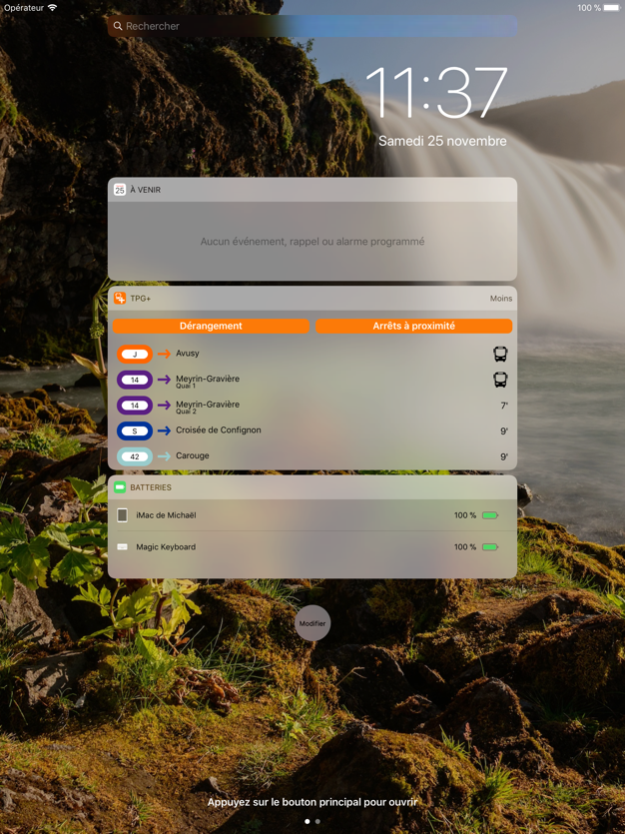
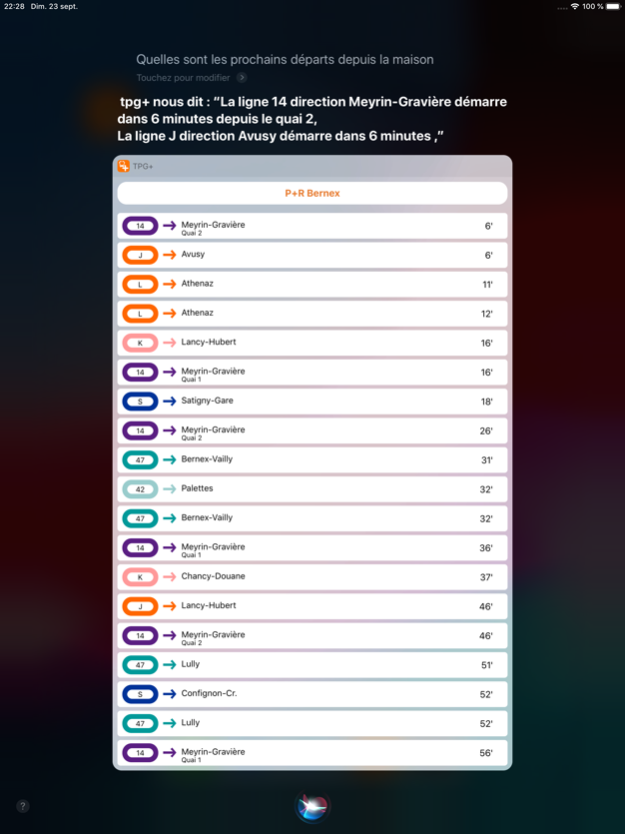
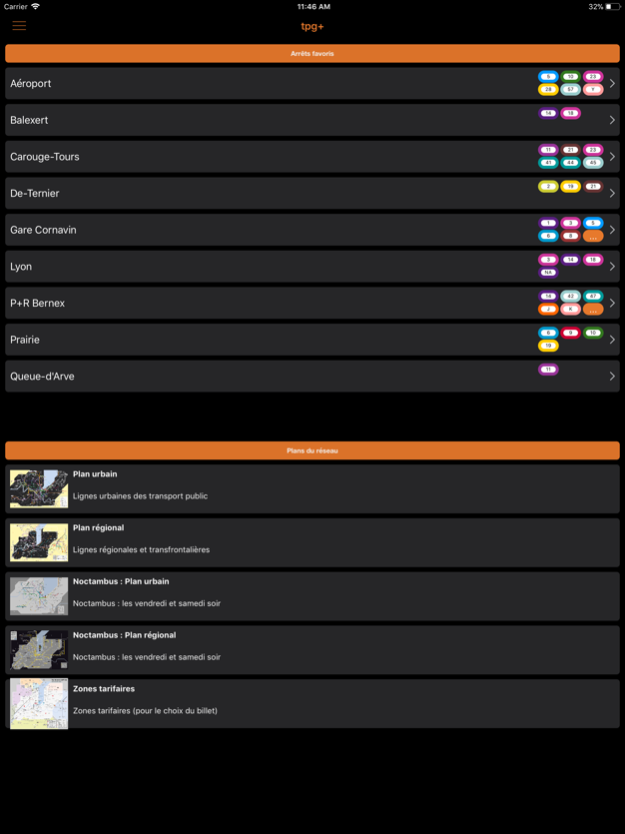
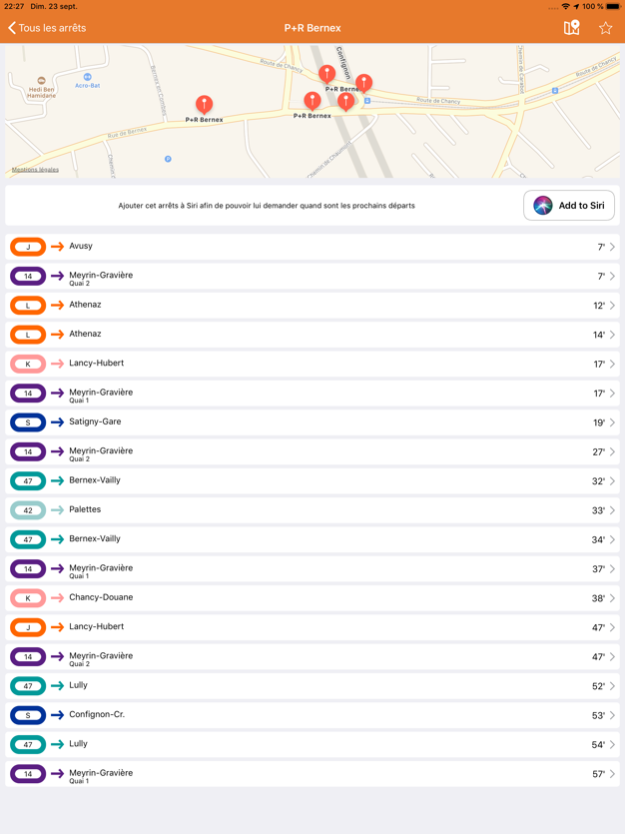
A tpg app with great more.
mpg+ offers new features that you will not find in the official application of Transports Publics Genevois.
tpg +, the most you missed!
tpg + offers new features that you will not find in the official Geneva public transport application.
*** Siri ***
Ask and you will see. You can ask Siri for the following information:
-> Network status (incidents)
-> Next departures of your favorite stops
*** Widget ***
Access the following information from any program or from the lock screen.
-> List of stops nearby
-> List of upcoming departures from a stop
-> Viewing favorite stops
-> Viewing incidents on favorite / tracked lines
*** Quick access ***
Get even faster to your favorite stops with shortcuts
-> 3D Touch Shortcuts (available for iPhone 6s and later): Up to four stops may be available directly from the Home screen
-> Home screen shortcuts: Add an unlimited number of stops to your home screen as if it were apps
-> Ability to choose between the "traditional" view of departure and a view of the start by line and putting at the top of the screen your favorite lines
*** Dock ***
Check directly for the next starts on your watch or iOS devices. The application also indicates the platforms.
*** The little ones more than useful ***
We did not know what to put as a title so it seemed a lot;
-> Sign indicating if the bus is equipped with wifi or that it is one of the new electric buses TOSA
*** iMessage ***
Thanks to this extension, shared quickly with your entourage the information concerning the current disturbances on the network.
-> Viewing network status (incidents, jobs, etc.) directly in iMessage
-> Sends incidents, jobs, etc. by iMessage
*** Screen sizes ***
tpg + is optimized for all screen sizes, from the smallest to the largest (new screen sizes included).
*** Speed, optimization and stability ***
So were the two rules that dictated the writing of the application.
-> mpg+ was developed with the idea of being the fastest possible to use, so the favorite stops and those nearby are immediately available to you when you open the application. No need to go through sub-menus.
-> Thanks to the favorite stops, you will find the departures of the stops frequently used more quickly
-> A bug detection tool is present within the application to allow us to be even more responsive when you encounter.
*** Notification of incidents ***
Thanks to this feature you can be notified when an incident occurs on the tpg network so you can prepare yourself or change your schedule before arriving at the fait accompli :)
-> Push notification when an incident occurs on the network
-> Ability to receive an alert when incidents are over
-> You can choose the lines you want to be notified of or receive all notifications of network incidents (be careful it can represent a lot of notifications per day)
*** Apple Watch ***
mpg+ offers a complete Apple Watch application.
-> Next departures for nearby stops, favorite stops or any other stop of the tpg network
-> Viewing the network status (incidents, jobs, etc.)
*** Translation ***
mpg+ is fully translated into English. Even incidents are automatically translated and transmitted both in the application and by PUSH notifications*.
mpg+ is not an official application of Geneva public transport, but uses the Open Data provided by them.
* Being dependent on an external supplier for the translation of incidents, we are not able to guarantee the accuracy of the translations or even if it will always take place. If the translation fails, the original text of the tpg (in French) will be used.
Terms of Use : http://tpgplus.ch/terms.html
Privacy Policy : https://tpgplus.ch/privacy_policy.html
Jan 30, 2022
Version 10.0
- Dark mode
The application's dark mode is now fully compatible and synchronised with iOS.
- Routes
Our routes system was based on public data that was not always correct. In response to this problem, we now use the new system of TPG's website. If you prefer the old system, you can restore it by enable the correct option in params.
- It'll surprise you... (: P)
As usual we have improved many small points in the application including stability and performance. ;)
About gpm+
The company that develops gpm+ is Michael Minelli. The latest version released by its developer is 10.0.
To install gpm+ on your iOS device, just click the green Continue To App button above to start the installation process. The app is listed on our website since 2022-01-30 and was downloaded 0 times. We have already checked if the download link is safe, however for your own protection we recommend that you scan the downloaded app with your antivirus. Your antivirus may detect the gpm+ as malware if the download link is broken.
How to install gpm+ on your iOS device:
- Click on the Continue To App button on our website. This will redirect you to the App Store.
- Once the gpm+ is shown in the iTunes listing of your iOS device, you can start its download and installation. Tap on the GET button to the right of the app to start downloading it.
- If you are not logged-in the iOS appstore app, you'll be prompted for your your Apple ID and/or password.
- After gpm+ is downloaded, you'll see an INSTALL button to the right. Tap on it to start the actual installation of the iOS app.
- Once installation is finished you can tap on the OPEN button to start it. Its icon will also be added to your device home screen.
Program Details
System requirements
Download information
Pricing
Version History
version 10.0
posted on 2022-01-30
Jan 30, 2022 Version 10.0
- Dark mode
The application's dark mode is now fully compatible and synchronised with iOS.
- Routes
Our routes system was based on public data that was not always correct. In response to this problem, we now use the new system of TPG's website. If you prefer the old system, you can restore it by enable the correct option in params.
- It'll surprise you... (: P)
As usual we have improved many small points in the application including stability and performance. ;)
Disclaimer
Official App Store Link
We do not host gpm+ on our servers. We did not scan it for viruses, adware, spyware or other type of malware. This app is hosted by Apple and passed their terms and conditions to be listed there. We recommend caution when installing it.
The App Store link for gpm+ is provided to you by apps112.com without any warranties, representations or guarantees of any kind, so access it at your own risk.
If you have questions regarding this particular app contact the publisher directly. For questions about the functionalities of apps112.com contact us.
